
Cleaning business schedule template: fit recurring jobs and travel
Fit recurring cleans, travel and one-off visits around real customer windows with a checked route and downloadable template.
Next Monday looks full before the one-off jobs arrive. A quiet week on the calendar has hidden the next pile-up of recurring visits. Expand every recurring booking into real dates, then check each crew's route against travel, access times and the customer's finish deadline.
Download the checked cleaning route template (CSV). It opens in a spreadsheet and contains four Mondays plus an agreed Tuesday move. The rows are filled examples you can replace; they do not generate future visits automatically.
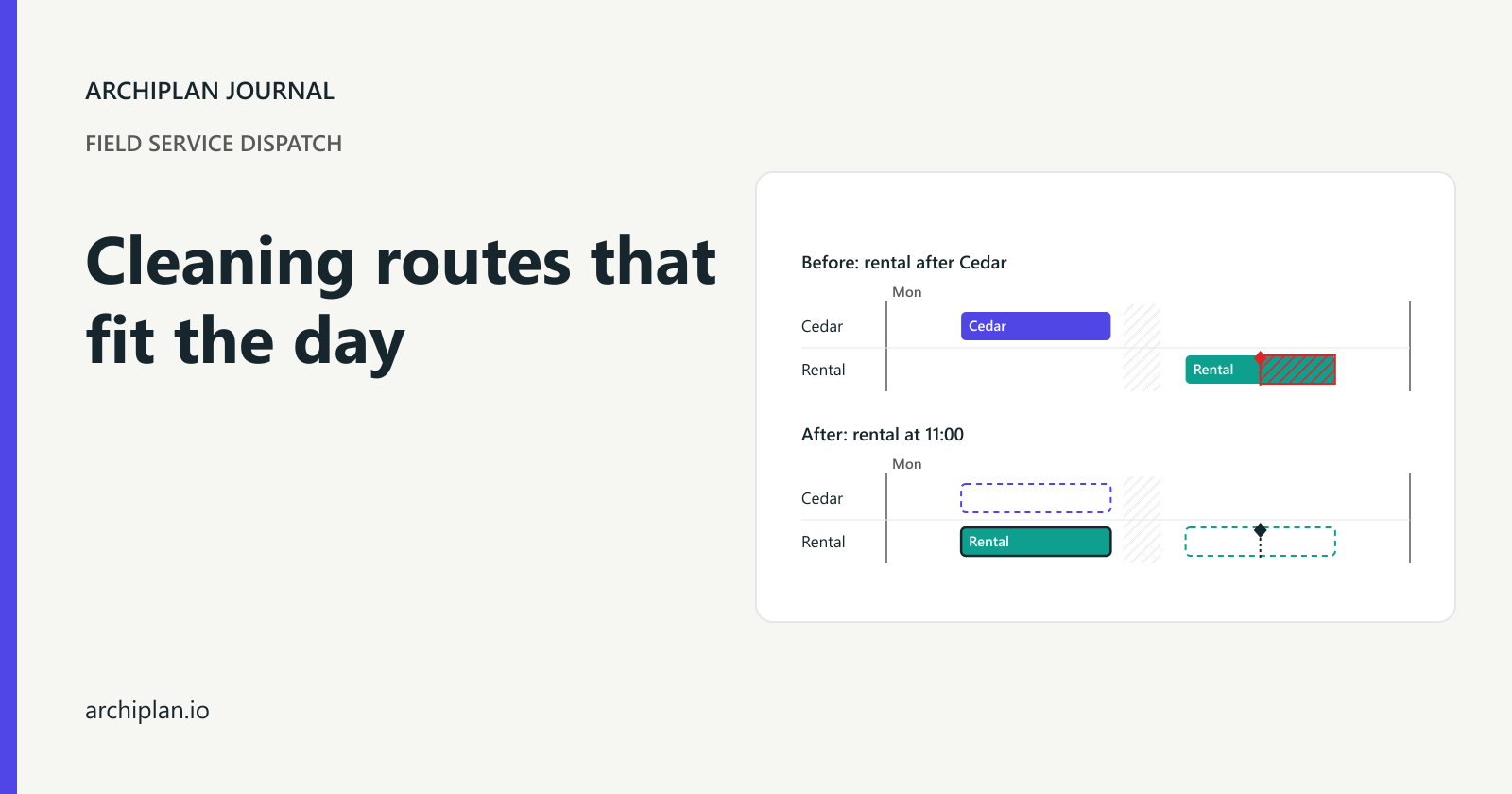
Take a made-up cleaning business with Nia and Joel working together in one van. They have a regular Monday round. A rental turnover arrives for the first Monday, with access from 11:00 and a firm finish by 15:00. Putting it after the usual morning visits makes it an hour late.
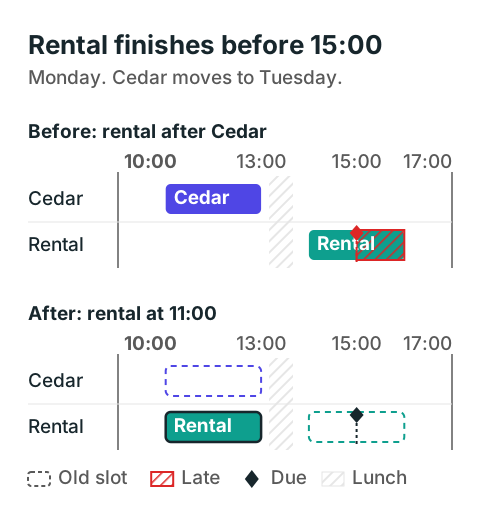
The rental's start fits inside its access window in both plans. Only the revised plan finishes before the check-in deadline.
Look beyond next week's empty squares
Start with the dates you have actually promised. In this example, Willow is weekly, Cedar is every two weeks and Harbor is every three weeks, all anchored on Monday 12 October 2026. Each clean needs two elapsed hours with both Nia and Joel present. These are this business's estimates, including the agreed scope; adding another cleaner does not automatically halve them.
| Monday | Recurring visits due | Cleaning time before travel |
|---|---|---|
| 12 October | Willow, Cedar, Harbor | 6 hours |
| 19 October | Willow | 2 hours |
| 26 October | Willow, Cedar | 4 hours |
| 2 November | Willow, Harbor | 4 hours |
The first Monday carries all three recurring visits. The second carries only Willow. Offering the same number of one-off appointments on both Mondays would ignore that difference.
Keep the repeat rule beside the anchor date in your client register: weekly, every two weeks, every three weeks, or calendar-monthly. A four-week booking and a monthly booking are different agreements. From 31 October, four weeks lands on 28 November; the example's calendar-month rule uses 30 November when the original day does not exist. Agree that short-month rule with the customer before generating dates.
When a visit moves, record whether it is a single exception or a new anchor for the whole series. Cedar's move below is one exception. Its next regular visit stays Monday 26 October. Quietly resetting the series to Tuesday would change what the customer expects next time.
Check the route from leaving base to getting back
Nia and Joel are available from 08:00 to 17:00. The van is stocked and the keys are confirmed before departure. No visit is already running. Willow must start between 08:00 and 09:00; Cedar normally starts between 10:00 and 12:00; Harbor allows a start from 14:00 and must finish by 17:00. Both cleaners are signed off for all the work.
Here is the repaired first Monday, with Cedar removed after the customer agrees to Tuesday morning:
| Work | Start | Finish |
|---|---|---|
| Base to Willow | 08:00 | 08:20 |
| Willow clean and close-out | 08:20 | 10:30 |
| Drive to rental | 10:30 | 11:00 |
| Rental clean and close-out | 11:00 | 13:10 |
| Lunch, then drive to Harbor | 13:10 | 14:00 |
| Harbor clean and close-out | 14:00 | 16:10 |
| Return to base | 16:10 | 16:30 |
The three cleans use six hours. Travel uses 90 minutes, close-outs use 30 minutes, and lunch uses 30 minutes. Together they occupy eight hours and 30 minutes of the nine-hour shift, leaving 30 minutes unused. That spare time is a visible allowance for this plan, not a claim that half an hour covers every delay.
The route includes the first drive and the return to base. If your crews go straight home, use the actual agreed end-of-day arrangement. Leaving the final leg out while still promising a base return would make the available time look larger than it is.
Travel estimates belong to the particular pair of sites and the expected time of day. Replace the example's drive times with your own records before using the sheet. Grouping nearby customers helps you choose a route to check, but their postcode alone does not establish that it fits.
Arrival before check-in is not enough
In the unrepaired Monday, Willow runs from 08:20 to 10:20 and Cedar from 11:00 to 13:00. After Cedar's close-out, lunch and the drive, the rental starts at 14:00. Its two-hour clean finishes at 16:00, one hour after the 15:00 deadline. It also pushes Harbor beyond the crew's shift.
The two visits Cedar and the rental need four hours of cleaning. Even before close-outs and lunch, putting both after the first 11:00 start needs extra travel between them. They cannot both finish inside a four-hour span ending at 15:00.
The customer at Cedar agrees to Tuesday morning. Nia and Joel leave base at 08:00, clean from 08:20 to 10:20, close out by 10:30 and return at 10:50. Tuesday's crew calendar is free for that whole trip. The move preserves the required visit and frees Monday's 11:00 slot for the rental.
A second crew is another option only after checking its people, van, supplies, access and travel. An empty name on the dispatch board does not prove that crew can take the job. If Cedar cannot move and no suitable crew is free, decline or change the rental promise before confirming it.
Use the template as the day's working rows
Open the cleaning route CSV and filter to one date and crew. Each row records work, start, finish, minutes, finish-by time and a note. Drives, lunch and close-outs have their own rows, so they remain visible when you count the day.
Replace the fictional sites with your visit IDs and put sensitive access instructions in the place your crew normally receives them. Keep a separate client register for recurrence and agreed windows. The CSV is a filled route sheet; dates and bookings need updating when you change its inputs.
For every visit, calculate the start from the previous finish plus the drive, then respect any earliest access time. Calculate the finish from that start and the crew's elapsed cleaning time. Compare the cleaning finish with a finish-by promise; compare arrival with an arrival promise. Record which kind the customer agreed to, rather than using one unlabeled time field.
As a software example, Dynamics 365 distinguishes promised time windows from scheduling preferences. Check how your own tool represents a finish-by deadline before trusting a booking that merely starts before it.
Keep cancellations and absences visible
A cancellation releases a particular visit. Keep its date, the customer's instruction and the next agreed visit in an exceptions list. Then check whether the gap can fit another job including its drives; a spare cleaning block does not include travel automatically.
If Joel is away, the two-person estimates no longer describe the available crew. Use an approved replacement crew or revise the durations and promises. Keep the customer window unchanged while you check the new route, so the sheet still shows whether you can meet it.
Before confirming the next round:
- Expand recurring visits over the coming weeks and find the busiest dates.
- Check each named crew, its whole trip and every hard customer window.
- Agree moves before changing the booking and record whether the series continues unchanged.
- Send the crew the accepted route, including access details and the latest exceptions.
The business in the example is made up; its dates and route times were checked by recalculation.