
Production scheduling: whiteboard, spreadsheet or scheduler?
Use one small shop test to choose a planning method that shows shared people, machine bookings and a clear owner for changes.
Your production board is easy to read, but changes keep landing in different places. Now you're wondering whether a shared sheet would help or whether you need a scheduler. Choose the method that can keep one accepted plan current and expose your shop's real conflicts, using the same jobs to test each option.
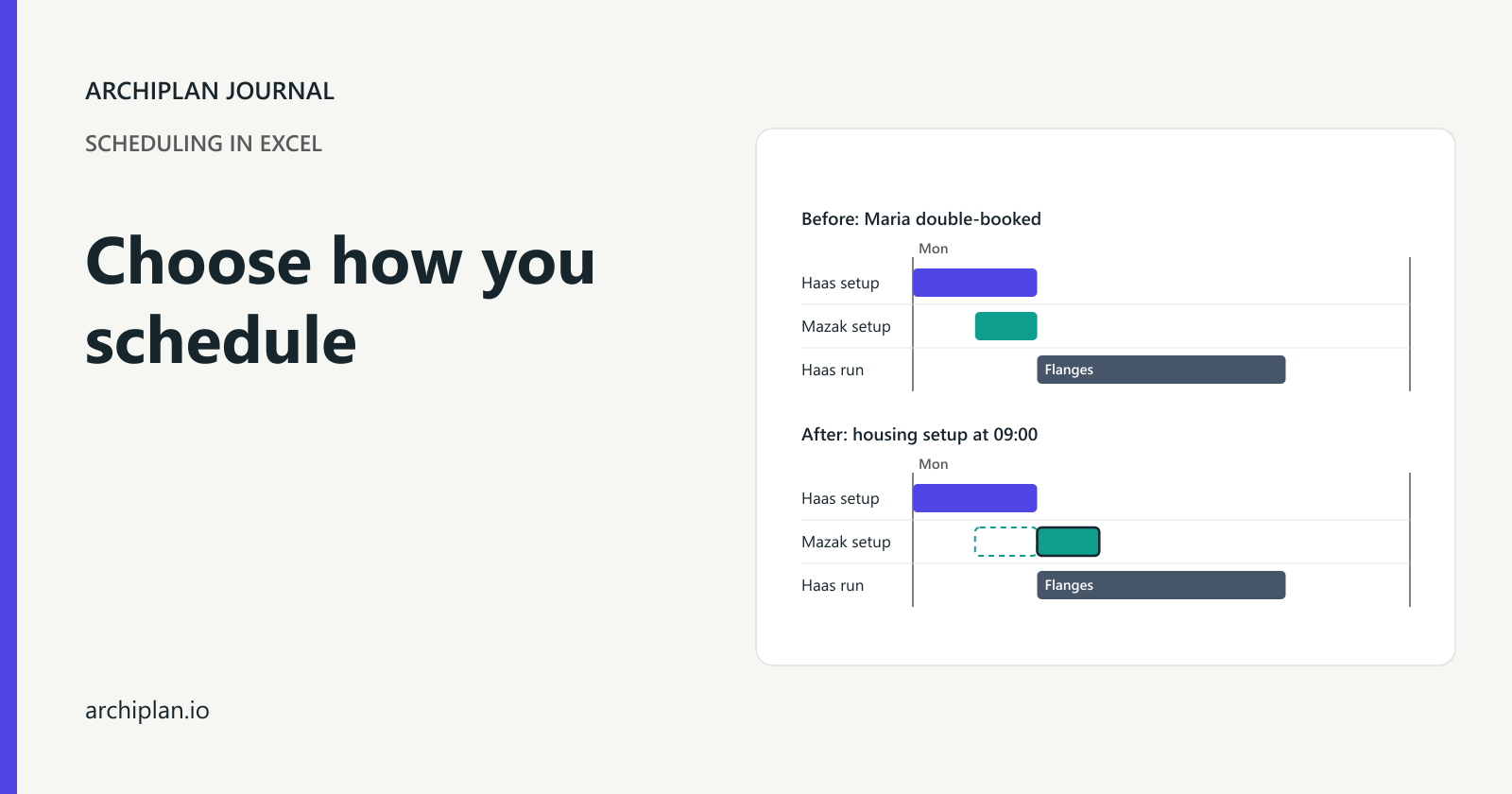
Take a made-up six-job machine shop with a Haas, a Mazak and one setter, Maria. Dave runs the Haas and Luke runs the Mazak. A machine-only view makes two morning setups look possible. Maria's bookings show that they overlap for thirty minutes.
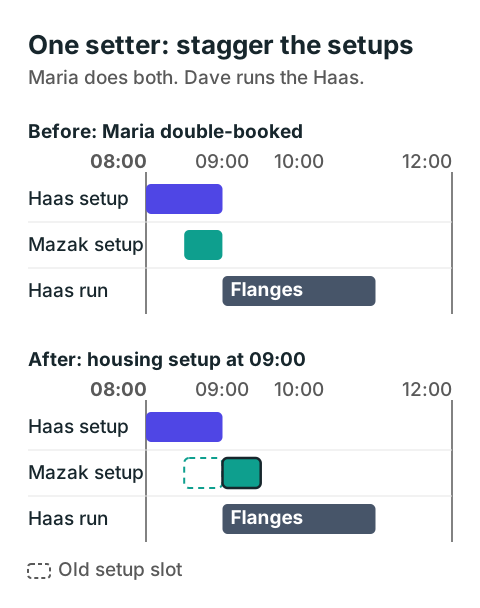
The housings wait until Maria finishes the flange setup at 09:00. The Haas keeps running while she sets the Mazak, so waiting for the setter does not mean waiting for the first job to finish.
Use one set of jobs for the comparison
Everyone works Monday from 08:00 to 12:00 and 13:00 to 17:00. The kits and drawings are ready before 08:00, nothing is already running, and the orders have no dependencies on each other. Maria is qualified for every setup; Dave and Luke are qualified to run their respective machines.
Use these six jobs as the common test. Maria does every setup; the named run operator stays with the machine during the run.
| Job | Machine | Setup | Run | Checked slot | Due |
|---|---|---|---|---|---|
| 1046, forty flanges | Haas | Maria, 60 minutes | Dave, 120 minutes | 08:00 to 11:00 | 12:00 |
| 1047, twelve housings | Mazak | Maria, 30 minutes | Luke, 120 minutes | 09:00 to 11:30 | 12:00 |
| 1048, thirty brackets | Haas | Maria, 15 minutes | Dave, 45 minutes | 11:00 to 12:00 | 17:00 |
| 1049, sixty pins | Mazak | Maria, 15 minutes | Luke, 105 minutes | 13:00 to 15:00 | 15:30 |
| 1050, fifty spacers | Haas | Maria, 30 minutes | Dave, 120 minutes | 13:15 to 15:45 | 16:00 |
| 1051, ten sleeves | Mazak | Maria, 15 minutes | Luke, 60 minutes | 15:00 to 16:15 | 16:30 |
Keep the flange start fixed at 08:00. Try setting the housings up at 08:30. Their machine is free, but Maria is already setting the Haas until 09:00. The housing setup must move to 09:00, followed by its run from 09:30 to 11:30. Both the flanges and housings meet their noon deadlines.
Maria is needed only for setup in this example. During a run, the machine and its named operator stay booked. If your setter must remain at the machine, use that requirement in your test. Booking people and workspace together explains how to keep simultaneous needs visible.
Keep the board if its owner can make the checks
A physical board can pass this test. Give each job a card with its machine, setup time, run time and due date. Add a row for Maria's setup bookings so the housing card cannot appear to start at 08:30 without showing the overlap.
Choose one person to accept sequence changes. A supervisor can ask for a move, but the planner checks Maria and both machines before changing the accepted board. Put the revised plan's time on it and tell the people whose work changes. If the floor has a printed copy, replace or clearly withdraw it.
The board is a workable choice while that owner can keep it current and perform the checks within your planning day. Watch for specific failures: someone starts from an old photo, Maria's row is left unchanged, or the order on the wall differs from the order issued to the machines. Those failures tell you what the next method must improve.
A bigger screen alone will not repair a missing update owner. Test the handoff between the supervisor's request and the accepted plan before buying a digital display.
Use a shared spreadsheet for the view you need
A sheet earns its place when the same accepted bookings need to be read in several ways: by machine, person, order or due date. Keep one source of bookings, with job and operation, resource, start, finish, original due time, actual progress and the last update owner. A filtered view should read those rows rather than become another separately edited plan.
The flange setup needs bookings for the Haas and Maria. Its run needs bookings for the Haas and Dave. Record both phases so a person looking at Maria's work sees the same setup the machine view shows.
Ask whoever builds the sheet how it checks overlapping rows for the same resource. Colours and a Gantt view may make an overlap easier to see; they do not establish that a warning is calculated. Try the 08:30 housing setup and watch what happens. A sheet can include a conflict check, but yours has to contain and maintain that check.
Then let the supervisor propose a change while the planner is reviewing the plan. Decide who can edit accepted bookings and how a proposed change becomes the next issued version. Two editors should not leave two different accepted sequences.
Test a scheduler against the work that causes trouble
A scheduler is worth evaluating when checking and repairing the bookings takes more effort than the planner can keep up with. Take the example to a demonstration and enter the shared setter, the run operators, the lunch break and material readiness. Ask the demonstrator to attempt the same housing move.
Some systems already model these requirements. For example, Dynamics 365 job scheduling considers resource capacity, calendars and resource selection. That describes Dynamics; test the actual module and settings you would use rather than assuming any product called a scheduler makes the same checks.
Ask to see the conflicting booking and the proposed repair. Check that Maria is released after setup, that Dave and Luke remain booked during runs, and that no operation is pushed through lunch. Then change an input and inspect the resulting schedule again. A tidy starting screen does not show what happens after a real edit.
Include the other three orders in your trial: sixty pins, fifty spacers and ten sleeves. Initially starting the pins and spacer setups together at 13:00 gives Maria another fifteen-minute overlap. In the checked plan she sets the pins from 13:00 to 13:15, then the spacers from 13:15 to 13:45. The spacers finish at 15:45, before their 16:00 deadline. All six jobs fit the working blocks without sharing Maria at the same time.
That afternoon test checks whether the method handles the shared setter generally. Fixing only the morning housing row would leave the same problem elsewhere.
Choose from the result, then try it on the floor
| Method | A good reason to keep or try it | What to test |
|---|---|---|
| Physical board | One owner can keep the accepted plan current | Shared-person bookings and replacement of old copies |
| Shared spreadsheet | You need several views of the same bookings | Resource conflicts, protected inputs and accepted edits |
| Existing ERP scheduling module | Orders and progress already live there | Actual calendars, finite capacity settings and floor updates |
| Dedicated scheduler | Repeated constraint checks and repairs are hard to maintain | Your whole example, changed inputs and a usable issued plan |
Run the chosen method alongside your current process on a small agreed set of orders. Compare its accepted bookings with what the operators can actually run. Record the missing field or failed check whenever the two disagree, and give someone responsibility for correcting it.
Before choosing:
- Bring a job that shares a person across machines.
- Try a move that conflicts and inspect the warning or manual check.
- Confirm who accepts changes and how the floor receives them.
- Check a second conflict and a valid move before accepting the result.
The shop in the example is made up; its bookings and finish times were checked by recalculation.